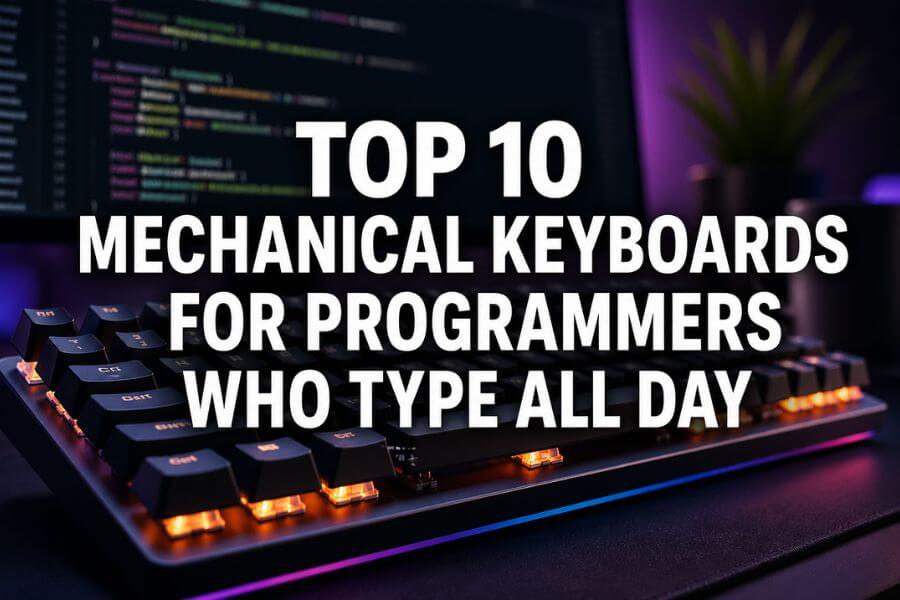
If you spend hours coding every day, your keyboard is not just a tool; it becomes part of how you think and work. A good mechanical keyboard can make typing feel smoother, reduce fatigue, and even help you stay focused longer. You will notice better feedback with each key press, improved speed, and more comfort during long sessions. Unlike basic keyboards, mechanical options offer different switch types, layouts, and build quality that can match your exact typing style.
In this guide, you will discover the top 10 mechanical keyboards for programmers who type all day. Whether you prefer a quiet workspace, a compact layout, or a fully customizable setup, there is something here for you. Each keyboard is selected based on real typing performance, comfort, and long-term reliability.
Quick Summary Table
| Keyboard | Layout | Switch Options | Best For | Key Feature |
|---|---|---|---|---|
| Keychron K8 Pro | Tenkeyless | Multiple hot-swappable | Versatility | Wireless + wired |
| Ducky One 3 TKL | Tenkeyless | Cherry MX variants | Reliability | Strong build quality |
| Leopold FC750R | Tenkeyless | Cherry MX variants | Minimalists | Premium typing feel |
| HHKB Professional Hybrid | 60% | Topre switches | Efficiency | Unique layout |
| Glorious GMMK Pro | 75% | Hot-swappable | Custom builds | CNC aluminum body |
| Logitech G915 TKL | Tenkeyless | Low-profile switches | Speed and style | Ultra-thin wireless |
| Corsair K70 RGB Pro | Full size | Cherry MX variants | Performance | Fast polling rate |
| Razer Pro Type Ultra | Full size | Quiet mechanical | Office use | Silent typing |
| Varmilo VA87M | Tenkeyless | Cherry MX variants | Comfort | High-quality keycaps |
| Akko 3068B Plus | 65% | Multiple switches | Budget option | Compact wireless |
How We Ranked These
To help you find the best keyboard for programming, we focused on what actually matters during long typing sessions. We did not just look at brand names or flashy features. Instead, we focused on real usability and comfort.
Here are the main factors we considered:
- Typing comfort: Smooth key feel and reduced finger strain
- Build quality: Durable materials and solid construction
- Switch options: Availability of different typing preferences
- Layout efficiency: Space-saving designs without losing function
- Noise level: Important for shared or quiet environments
- Customization: Ability to change switches, keycaps, and layouts
- Connectivity: Wired and wireless flexibility
Every keyboard on this list performs well across these areas, but each one shines in a slightly different way depending on your needs.
1. Keychron K8 Pro
If you want a well-balanced keyboard that works for both beginners and advanced users, the Keychron K8 Pro is a strong choice. It offers a tenkeyless layout, which means you save desk space while still keeping important keys like arrows and function keys.
You can use it wirelessly or with a cable, which gives you flexibility when switching between devices. The hot-swappable feature is a big advantage because you can change switches without soldering. This lets you experiment and find the perfect typing feel over time.
The typing experience is smooth and comfortable, making it ideal for long coding sessions. You also get good compatibility with different operating systems, which is helpful if you work across multiple platforms.
2. Ducky One 3 TKL
The Ducky One 3 TKL is known for its reliability and consistent typing experience. It uses high-quality materials and has a solid build that feels stable on your desk.
You will notice the smooth keystrokes right away, especially if you choose Cherry MX Brown or Red switches. The keyboard also comes with excellent keycaps that resist wear over time.
It does not focus heavily on software features, which is actually a benefit if you prefer a simple and distraction-free setup. You plug it in, start typing, and enjoy a dependable experience every day.
3. Leopold FC750R
If you care about pure typing feel, the Leopold FC750R stands out. It is often praised for its premium build quality and quiet, refined typing experience.
The keyboard uses high-quality keycaps that feel smooth and durable. The sound is also more controlled compared to many other mechanical keyboards, which is helpful if you work in a quiet environment.
You will not find flashy lighting or complex features here. Instead, you get a clean design that focuses on comfort and performance. It is a great option if you want a no-nonsense keyboard that simply works well.
4. HHKB Professional Hybrid
The HHKB Professional Hybrid is very different from most keyboards on this list. It uses a compact 60 percent layout and Topre switches, which feel soft and responsive.
At first, the layout may feel unusual because some keys are repositioned. However, once you get used to it, you may find that your hands move less, which can improve efficiency.
This keyboard is popular among experienced programmers who value speed and minimal hand movement. It also supports wireless connectivity, making it easy to use across different devices.
5. Glorious GMMK Pro
If you enjoy customizing your setup, the Glorious GMMK Pro is one of the best options available. It has a premium aluminum body and a 75 percent layout that balances compact size with functionality.
The hot-swappable design allows you to change switches easily, and you can also customize keycaps and lighting. This makes it perfect if you want to build a keyboard that matches your exact preferences.
Typing feels stable and satisfying due to the solid construction. It is a great choice if you want both performance and personalization.
6. Logitech G915 TKL
The Logitech G915 TKL is designed for speed and style. It features low-profile mechanical switches, which means the keys are shorter and faster to press.
This can be helpful if you type quickly or prefer a laptop-like feel with mechanical feedback. The keyboard is also very thin and lightweight, making it easy to move around your workspace.
Wireless performance is strong, and battery life is impressive. If you want a modern, sleek keyboard that does not compromise on performance, this is a solid option.
7. Corsair K70 RGB Pro
The Corsair K70 RGB Pro is a full-size keyboard that offers high performance and customization. It is especially useful if you need a numeric keypad for certain tasks.
The typing experience is responsive and precise, and the keyboard supports a very fast polling rate, which can make inputs feel more immediate. While this is often marketed for gaming, it also benefits fast typists.
You also get customizable lighting and strong software support, which can help you set up shortcuts and macros for your workflow.
8. Razer Pro Type Ultra
If you work in a quiet office or shared space, the Razer Pro Type Ultra is worth considering. It uses quieter mechanical switches, which reduce noise without losing the tactile feel.
The keyboard has a clean, professional design that fits well in work environments. It also includes a wrist rest, which can help reduce strain during long typing sessions.
Wireless connectivity is stable, and you can connect multiple devices easily. This makes it a practical choice for professionals who need both comfort and convenience.
9. Varmilo VA87M
The Varmilo VA87M combines style and performance. It is available in various designs, so you can choose one that matches your taste.
Beyond appearance, the keyboard delivers a smooth and comfortable typing experience. The keycaps are high quality, and the overall build feels solid.
It is a great option if you want a keyboard that looks unique but still performs well for daily coding tasks.
10. Akko 3068B Plus
If you are looking for a budget-friendly option that still offers great features, the Akko 3068B Plus is a strong contender. It has a compact 65 percent layout, which saves space while keeping essential keys.
You get wireless connectivity, multiple switch options, and good build quality for the price. It is a great entry point into mechanical keyboards if you are just starting out.
Despite being more affordable, it still delivers a satisfying typing experience that can handle long programming sessions.
Conclusion
Choosing the right mechanical keyboard can make a big difference in how you feel after a long day of coding. The right keyboard helps reduce strain, improves typing speed, and makes your work more enjoyable. Whether you prefer a compact layout, a quiet typing experience, or full customization, there is an option on this list that fits your needs. Take time to think about your typing style, workspace, and daily habits, and you will find a keyboard that supports you for years to come.
Frequently Asked Questions
What type of switch is best for programming?
Most programmers prefer tactile switches like Brown because they provide feedback without being too loud. However, some prefer linear switches like Red for smoother typing. It depends on your personal comfort.
Are compact keyboards good for coding?
Yes, compact keyboards can be very efficient. They reduce hand movement and save desk space. However, they may require some adjustment if you are used to a full-size layout.
Do mechanical keyboards help with typing speed?
They can help improve speed over time because of better feedback and consistency. However, practice and comfort are more important than the keyboard itself.
Is wireless or wired better for programming?
Both are good. Wired keyboards offer stable connections, while wireless keyboards provide flexibility and a cleaner desk setup. Modern wireless keyboards are very reliable.
How long do mechanical keyboards last?
Mechanical keyboards can last many years, often longer than standard keyboards. High-quality switches are rated for tens of millions of key presses, making them a long-term investment.