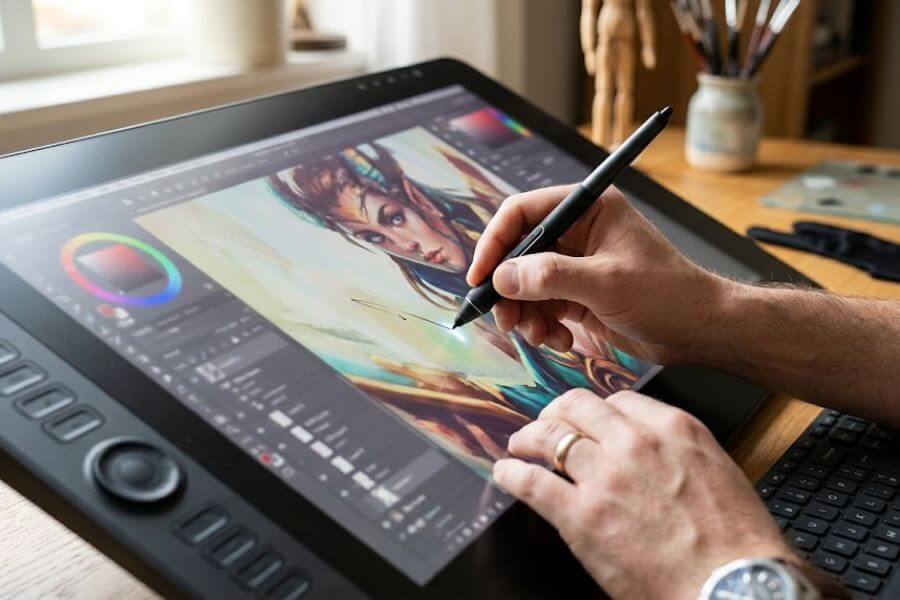
When you work as a professional digital artist, your drawing tablet is far more than just a simple tool. It is a direct extension of your hand, your creative vision, and your daily workflow. Choosing a premium device can completely transform the way you illustrate, animate, or edit photos. The high-end market is packed with incredible choices that offer breathtaking color accuracy, pixel-perfect responsiveness, and ergonomic designs built for long hours in the studio. Whether you want a massive desktop display or a sleek, portable powerhouse to create on the go, finding the perfect match will elevate your craft. This curated guide breaks down the absolute best premium drawing tablets available right now so you can make an investment that truly accelerates your creative career.
Quick Summary Table
| Number | Tablet Name | Primary Strength | Best For |
| 1 | Wacom Cintiq Pro 27 | Industry-Standard Canvas | Studio Illustrators and Animators |
| 2 | Apple iPad Pro (M5) | Ultimate Portable Powerhouse | On-the-Go Freelancers |
| 3 | Huion Kamvas Pro 24 (Gen 3) | Massive 4K Value | Detail-Oriented Artists on a Budget |
| 4 | XPPen Artist Pro 27 Gen 2 | Ultra-Smooth 120Hz Display | Concept Artists and Colorists |
| 5 | Wacom Intuos Pro (Medium) | Pure Tactile Precision | Traditional Artists Switching to Digital |
| 6 | Xencelabs Pen Tablet Medium Bundle | Incredible Value and Accessories | Photo Retouchers and Designers |
| 7 | Samsung Galaxy Tab S11 Ultra | Best Standalone Android Screen | Digital Painters Who Multitask |
How We Ranked These
Choosing a professional-grade tablet requires looking closely at the technical specifications that define a seamless drawing experience. We evaluated dozens of premium models based on how well they serve full-time creatives who cannot afford lag, color distortion, or physical discomfort. Here are the key factors we used to determine our rankings:
- Pen Performance and Pressure Sensitivity: We looked for devices that offer advanced styluses with thousands of pressure levels and minimal lag, ensuring your strokes look exactly as you intended.
- Display Quality and Color Accuracy: High resolution and professional color spectrum coverage are non-negotiable for commercial work that needs to look perfect in print and on screens.
- Workflow and Build Quality: We prioritized tablets built with durable materials, comfortable ergonomics, and helpful shortcut features that save you time during long drawing sessions.
1. Wacom Cintiq Pro 27
The Wacom Cintiq Pro 27 stands firmly as the gold standard for dedicated studio professionals who demand the absolute best drawing experience. This massive 27-inch display treats you to a beautiful 4K resolution alongside an incredible 120Hz refresh rate, meaning your pen strokes appear instantly without any visible lag or delay. The included Pro Pen 3 is deeply customizable, allowing you to alter its weight and grip thickness to perfectly match the unique geometry of your hand. Because it boasts exceptional color accuracy with validation from top color standards, you can trust that the hues you see on your screen will perfectly match your final print or video export. It is an expensive investment that requires a sturdy desk stand, but its industrial build quality and unmatched performance make it the definitive centerpiece for top-tier creative studios.
2. Apple iPad Pro (M5)
The Apple iPad Pro, equipped with the powerhouse M5 chip, is the undisputed champion for professional artists who need to create outside the traditional studio walls. This gorgeous, slim device features a cutting-edge tandem OLED display that pumps out blinding brightness and deep, rich contrast, making your artwork practically pop off the screen. When you pair it with the Apple Pencil Pro, you unlock incredible tactile features like haptic feedback vibrations, barrel roll rotation tracking, and a squeeze gesture that changes your brushes on the fly. Because it runs on a fully standalone mobile operating system, you can sketch, paint, and render complex multi-layer files in apps like Procreate anywhere from a coffee shop to an airplane. It lacks native desktop software support, but its unmatched portability and zero-latency drawing feel make it an essential tool for modern freelance illustrators.
3. Huion Kamvas Pro 24 (Gen 3)
The Huion Kamvas Pro 24 (Gen 3) provides an exceptional balance of giant workspace and elite performance without demanding a luxury price tag. Giving you a spacious 23.8-inch canvas running at a crisp 4K resolution, this pen display ensures you can zoom in on minute details without losing clarity or seeing jagged pixels. Huion includes two separate styluses in the box to accommodate different hand sizes, both utilizing their newest pen technology to achieve incredibly light initial activation forces. The screen surface comes factory-calibrated with professional hardware to ensure your color work remains completely true to life right out of the box. While the physical housing feels slightly more plastic than its pricier competitors, its phenomenal screen clarity and responsive pen make it the smartest choice for artists wanting maximum screen space for their dollar.
4. XPPen Artist Pro 27 Gen 2
The XPPen Artist Pro 27 Gen 2 is a forward-thinking marvel that challenges the industry giants by packing premium features into a beautifully smooth workspace. Its standout feature is a gorgeous 4K display that runs at a fluid 120Hz refresh rate, cutting down motion blur and making fast brush strokes feel astonishingly realistic. The tablet features a modern pen that registers a massive range of pressure levels, translating the lightest whispers of your hand into beautiful, organic tapering lines. XPPen ships this massive display with an external shortcut remote, giving you dozens of programmable buttons that you can place wherever your non-dominant hand feels most comfortable. It takes up a significant amount of desk real estate, but its combination of rapid screen responsiveness and vibrant color depth makes it a dream device for concept artists and animators.
5. Wacom Intuos Pro (Medium)
The Wacom Intuos Pro Medium remains the ultimate tool for professional creatives who prefer the traditional discipline of drawing on a pad while looking up at a primary monitor. Because it does not feature a built-in screen, this tablet avoids the issues of display heat and glass glare entirely, offering a textured surface that beautifully mimics the physical friction of paper. The included pen is legendary for its reliability, delivering an incredibly natural tilt response and predictable pressure tracking that never lets you down mid-stroke. Built-in touch express keys and a physical radial dial sit directly on the frame, letting you zoom, pan, and change your brush sizes without ever reaching for your computer keyboard. It requires excellent hand-eye coordination to master drawing away from your hand, but its tank-like durability and compact footprint make it a timeless professional staple.
6. Xencelabs Pen Tablet Medium Bundle
The Xencelabs Pen Tablet Medium Bundle is a meticulously designed screenless system that prioritizes pure comfort, elegant aesthetics, and unmatched workflow customization. This bundle stands out by giving you two separate battery-free styluses—one thick three-button pen for heavy drawing and one thin pen for delicate linework—ensuring your hand stays relaxed. The active drawing area features a gentle, curved wrist rest that prevents cramping during marathon design sessions, while the subtle glowing corner lights help you map your screen boundaries in dim studios. You also get a dedicated quick-keys remote featuring an organic light-emitting diode display that clearly labels your custom shortcuts for different creative software applications. It relies completely on your existing computer monitor for visuals, but its premium build quality and thoughtful accessories offer a genuinely boutique experience.
7. Samsung Galaxy Tab S11 Ultra
The Samsung Galaxy Tab S11 Ultra is a stellar premium choice for artists who want a massive, vibrant standalone Android device that doubles as a highly capable digital sketchbook. Its sprawling screen utilizes a gorgeous AMOLED panel that delivers infinite contrast ratios and blindingly rich colors, making it a spectacular canvas for digital painting and comic panel layout work. Samsung includes the ultra-responsive S Pen directly in the box, giving you a remarkably soft, rubberized tip that grips the glass gently to simulate a smooth, comforting pen-on-paper sensation. The flexible operating system allows you to effortlessly run your reference photos, video feeds, and art applications side-by-side in a seamless multi-window layout. It is a large and somewhat fragile device to handle without a protective case, but its gorgeous screen and included stylus make it an amazing mobile studio companion.
Conclusion
Investing in a high-end digital drawing tablet is a significant step that can dramatically boost your artistic speed, precision, and everyday comfort. Whether you fall in love with the massive screen real estate of a studio pen display or prefer the absolute freedom of a standalone mobile tablet, the right device will quickly pay for itself by streamlining your professional workflow. Take a close look at your daily workspace routines, your software preferences, and your mobility needs before making your final selection. Whichever premium tablet you choose from this list, you are equipping your creative business with a reliable, top-tier instrument that will beautifully honor your hard-earned artistic skills for years to come.
Frequently Asked Questions
Do high-end drawing tablets require a separate computer to function properly?
It depends entirely on the specific type of tablet you choose to buy. Dedicated pen displays like the Wacom Cintiq or Huion Kamvas act as high-tech external monitors with pressure-sensitive surfaces, meaning they must stay plugged into a capable desktop or laptop computer to run your creative software. On the other hand, standalone mobile tablets like the Apple iPad Pro or Samsung Galaxy Tab house their own internal processors, batteries, and storage, allowing you to download apps and draw anywhere without connecting to an external computer.
What is parallax and why does it matter for professional digital artwork?
Parallax is the visual gap or distance between the physical tip of your digital stylus and the actual cursor appearing on the digital screen beneath the glass. In older or lower-end tablets, thick glass layers cause a distracting separation that makes it feel like you are hovering over your lines rather than touching them. High-end professional drawing tablets solve this frustrating problem by using fully laminated displays, which glue the glass and the underlying screen panel together to eliminate the gap completely for perfect accuracy.
Can I easily use these professional drawing tablets if I am a left-handed artist?
Yes, almost all premium drawing tablets are built with ambidextrous designs that easily accommodate left-handed creators. For screenless tablets and pen displays with physical express keys, the tablet software drivers allow you to digitally rotate the entire orientation of the device by 180 degrees. This simple software flip moves the physical shortcut buttons to the right side of the device, giving your left hand complete freedom to draw across the canvas without accidentally hitting any buttons.
How often do the plastic nibs on premium tablet pens need to be replaced?
The lifespan of a digital pen nib depends mostly on how hard you press down while drawing and the texture of your tablet’s screen surface. Artists who work with a heavy hand or use rough, paper-like screen protectors may need to swap out their plastic nibs every few weeks to maintain a smooth stroke. If you have a lighter touch or draw on smooth, untreated glass surfaces, a single plastic pen nib can easily last you several months before showing any flat edges or sharp spots.
Do professional drawing tablets support standard photo and video editing software?
Absolutely, high-end drawing tablets are completely compatible with industry-standard creative programs like Adobe Photoshop, Lightroom, Premiere Pro, and After Effects. Instead of using a clunky mouse, you can use the precision of the pressure-sensitive pen to mask out intricate image shapes, paint detailed lighting adjustments, or control complex timeline sliders. This seamless integration makes premium tablets incredibly popular not just for illustrators, but also for professional photo retouchers and video editors looking to speed up their work.