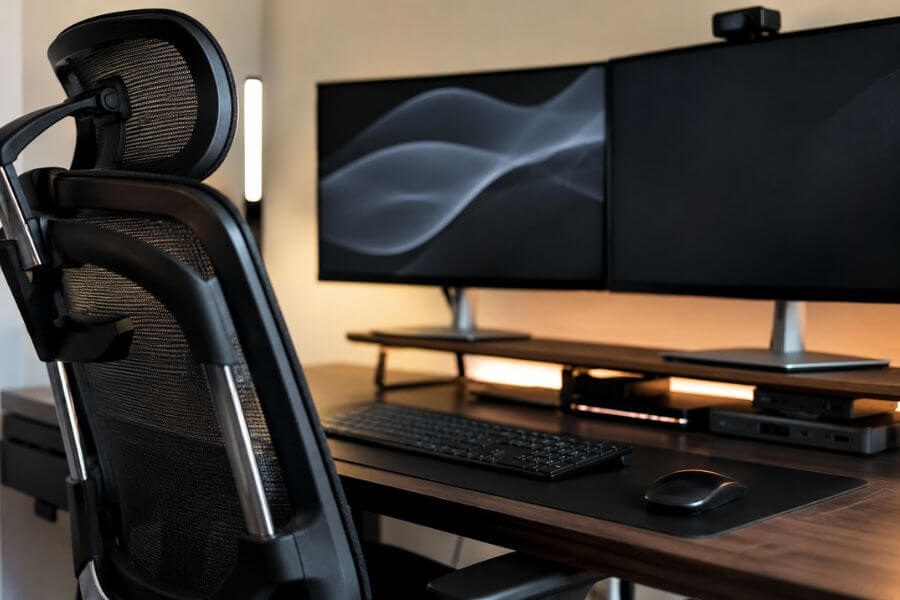
Working from home gives you flexibility, comfort, and more control over your daily routine. However, your workspace can have a huge impact on how productive, focused, and comfortable you feel throughout the day. A poorly designed setup can lead to distractions, discomfort, and lower efficiency, while a smart workspace can help you stay motivated and perform at your best.
The good news is that you do not need a massive budget or a complete office renovation to improve your work environment. Small upgrades can make a surprising difference in your daily experience.
In this guide, you will discover the 10 smartest workspace upgrades for remote workers. These upgrades can help you improve productivity, reduce stress, stay organized, and create a workspace that supports your success.
Quick Summary Table 📊
| Rank | Workspace Upgrade | Main Benefit | Best For |
|---|---|---|---|
| 1 | Adjustable Standing Desk | Better posture and movement | Long workdays |
| 2 | Ergonomic Office Chair | Comfort and back support | Desk workers |
| 3 | Dual Monitor Setup | Increased productivity | Multitasking |
| 4 | Proper Task Lighting | Reduced eye strain | All remote workers |
| 5 | Noise-Canceling Headphones | Better focus | Busy households |
| 6 | Cable Management System | Cleaner workspace | Organization |
| 7 | Laptop Docking Station | Faster workflow | Multiple devices |
| 8 | Smart Storage Solutions | Reduced clutter | Small spaces |
| 9 | Productivity Whiteboard | Better planning | Project management |
| 10 | Indoor Plants | Improved atmosphere | Stress reduction |
How We Ranked These Workspace Upgrades 🎯
When selecting the smartest workspace upgrades, we focused on factors that matter most to remote workers:
- Productivity improvement
- Comfort during long work sessions
- Ease of implementation
- Value for money
- Long-term benefits
- Workspace organization
- Health and wellness impact
- Flexibility for different home office sizes
- User satisfaction
- Daily practical usefulness
1. Adjustable Standing Desk 🚀
An adjustable standing desk is one of the most valuable upgrades you can make to your home office. Sitting for long periods can lead to stiffness, poor posture, and lower energy levels. A standing desk allows you to alternate between sitting and standing throughout the day.
The ability to change positions helps keep your body active and can reduce discomfort in your back, neck, and shoulders. Many remote workers report feeling more energized and alert when they regularly switch between sitting and standing.
Modern standing desks are easy to adjust and often include memory settings that save your preferred heights. This makes transitions quick and effortless.
Even if you only stand for short periods throughout the day, the benefits can add up over time. It is a simple way to make your workday healthier and more comfortable.
2. Ergonomic Office Chair 💺
Your chair is one of the most important pieces of furniture in your workspace. If you spend several hours working each day, an ergonomic office chair can significantly improve your comfort.
A quality ergonomic chair supports your lower back, encourages proper posture, and reduces strain on your body. Features such as adjustable armrests, lumbar support, seat height adjustment, and reclining options allow you to customize the chair to your needs.
Poor seating can contribute to fatigue, muscle tension, and discomfort. Investing in a chair designed for long work sessions helps prevent these issues and can improve your focus throughout the day.
Think of your chair as an investment in both productivity and long-term health.
3. Dual Monitor Setup 🖥️
A dual monitor setup can dramatically improve your workflow. Instead of constantly switching between windows and tabs, you can keep multiple applications visible at the same time.
For example, one screen can display a video meeting while the other shows your notes. You can also compare documents, manage spreadsheets, conduct research, or monitor projects more efficiently.
Many studies and user experiences suggest that multiple monitors can increase productivity by reducing unnecessary screen switching.
Whether you work in marketing, customer service, design, accounting, programming, or administration, additional screen space can save time and reduce frustration.
4. Proper Task Lighting 💡
Lighting is often overlooked, yet it plays a major role in productivity and comfort. Poor lighting can lead to headaches, eye strain, and reduced concentration.
A dedicated desk lamp with adjustable brightness can provide focused lighting exactly where you need it. Natural light is also beneficial whenever possible.
Positioning your workspace near a window can help improve mood and energy levels during the day. If natural light is limited, quality task lighting becomes even more important.
Look for lighting solutions that reduce glare and provide comfortable illumination for reading, typing, and video meetings.
Good lighting can make your workspace feel more inviting while protecting your eyes during long work sessions.
5. Noise-Canceling Headphones 🎧
Distractions are one of the biggest challenges remote workers face. Family members, pets, neighbors, traffic, and household activities can interrupt concentration.
Noise-canceling headphones help create a quieter environment by reducing unwanted background sounds. This allows you to stay focused during meetings, deep work sessions, and important projects.
Many remote workers find that even without music playing, active noise cancellation helps them concentrate more effectively.
Headphones can also improve call quality during virtual meetings by reducing ambient noise and making conversations clearer.
If your home office is not perfectly quiet, this upgrade can have an immediate impact on your productivity.
6. Cable Management System 🔌
A tangled collection of cables can make even the most expensive workspace feel cluttered and disorganized. Cable management systems help keep wires neat, organized, and out of sight.
Simple solutions include cable trays, clips, sleeves, and under-desk organizers. These tools help prevent cables from becoming tangled while creating a cleaner appearance.
A tidy workspace often feels less stressful and more professional. It can also make cleaning easier and reduce the risk of accidentally unplugging devices.
Although cable management may seem like a small upgrade, it can significantly improve the overall look and functionality of your workspace.
7. Laptop Docking Station ⚡
Many remote workers use laptops as their primary computers. A docking station can transform a laptop into a full workstation with minimal effort.
Instead of plugging in multiple cables every day, you can connect monitors, keyboards, mice, speakers, storage devices, and other accessories through a single docking station.
This creates a smoother workflow and helps maintain a clean, organized desk setup.
Docking stations are especially useful for hybrid workers who frequently move between home and office environments. Connecting and disconnecting become fast and convenient.
This upgrade can save time and eliminate daily setup frustrations.
8. Smart Storage Solutions 📦
Clutter can negatively affect focus and productivity. Smart storage solutions help keep essential items organized while maintaining a clean workspace.
Options include drawer organizers, shelves, filing systems, storage carts, and desktop organizers.
The goal is to give everything a designated place. When your workspace is organized, you spend less time searching for items and more time focusing on important tasks.
Storage solutions are especially valuable in smaller home offices where space is limited.
An organized environment can create a sense of control and make your workspace feel more professional and efficient.
9. Productivity Whiteboard 📝
A whiteboard is a simple but highly effective productivity tool. It provides a visible space for planning projects, tracking goals, brainstorming ideas, and managing daily priorities.
Unlike digital tools that can become buried under notifications and tabs, a whiteboard remains visible throughout the day.
Many remote workers use whiteboards to create task lists, project timelines, meeting notes, and motivational reminders.
Having important information displayed in front of you can improve accountability and help maintain focus on key objectives.
This upgrade combines simplicity with practical daily benefits.
10. Indoor Plants 🌿
Indoor plants can transform the atmosphere of your workspace. They add color, warmth, and a sense of life to your environment.
Research has shown that plants may contribute to reduced stress and improved well-being. They can also make a home office feel more welcoming and enjoyable.
Low-maintenance plants such as snake plants, pothos, and ZZ plants are popular choices because they require minimal care.
Even one or two plants can soften the appearance of a workspace and create a more relaxing environment.
A pleasant workspace encourages you to spend time there and can make remote work feel less isolating.
Conclusion 🌟
Creating a better home office does not require a complete redesign. Strategic upgrades can significantly improve comfort, productivity, organization, and overall job satisfaction.
The smartest workspace improvements focus on supporting both your work performance and your well-being. Whether you start with an ergonomic chair, a standing desk, better lighting, or a dual monitor setup, each upgrade can make your daily routine more enjoyable and efficient.
The best approach is to identify your biggest workspace challenge and begin there. Over time, these improvements can transform your home office into a space where you can consistently do your best work.
Frequently Asked Questions ❓
How much should you spend on home office upgrades?
The ideal budget depends on your needs and work habits. Start with upgrades that address your biggest pain points. Even affordable improvements can provide meaningful benefits.
What is the first upgrade most remote workers should make?
An ergonomic chair is often the best starting point because it directly affects comfort, posture, and health during long workdays.
Can a small workspace still be highly productive?
Yes. Smart organization, vertical storage, proper lighting, and efficient furniture choices can make even a small workspace highly functional.
How often should you update your workspace setup?
Review your workspace every few months. As your job responsibilities and equipment change, your setup may need adjustments to remain efficient.
Are workspace upgrades worth the investment?
In most cases, yes. Improvements that enhance comfort, productivity, and organization can provide daily benefits and support long-term work performance.